
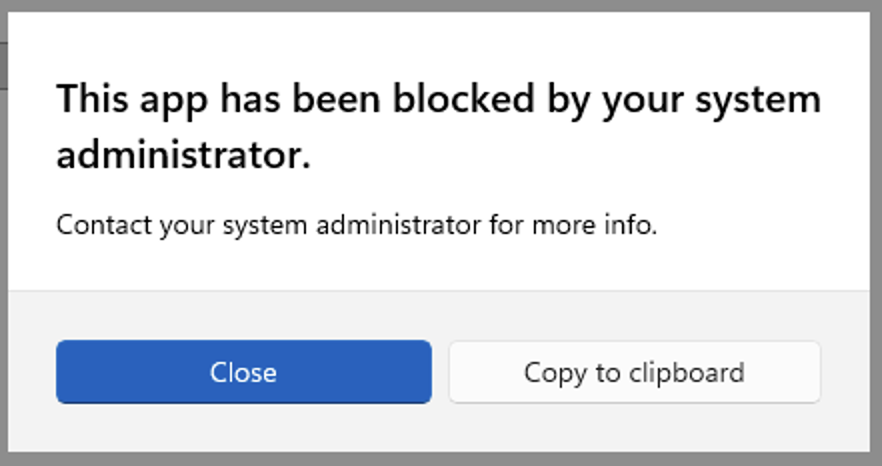
In this post we will explore Microsoft AppLocker, what it is, why we care, and how we can find bypasses, as both and attacker, and defender.
What is AppLocker?
AppLocker is a feature of Windows which allows application execution control, specifically controlling the ability to execute:
- Executables
- MSI Files
- Scripts
- .ps1, .bat, .cmd, .vbs, .js
- DLLs (Though due to the performance overhead, these are rarely enforced)
- Appx Files
There are three modes of AppLocker per type, Enforced, Audit, and Not Configured. Enforced mode acts as an allow-list, where anything that is not covered by an “Allow” rule is unable to execute, Audit mode logs any execution that would be allowed or blocked based on the rules. Weirdly “Not Configured” is a lie, rules in a Not Configured policy are still enforced!
To truly disable enforcement of a given application type, it must have no rules set. Once any rule is in place, it switches to a “deny-by-default” and only things covered by an allow rule can run.
To configure AppLocker, admins configure rules which allow execution, they may also include explicit denies, which take precedence even if an allow rule would otherwise let it run. Rules are typically linked to an identity via a SID representing a user, or a group. The key part of each rule is the include and exclude, the include specifies what will be covered by the rule (e.g. allowed or disallowed) with the exclude acting as exceptions where needed. These can take one of three main forms:
- Path based rules – A specified path, files and directories that match the path are covered by the rule
- Publisher based rules – Details of a publisher that is included or excluded based on the signing certificate used to sign the application
- Hash based rules – The specific hash of the file to be covered by the rule, specifically, its SHA256 Authenticode hash
Typically, hash based rules will be the most specific, and hardest to bypass, as they allow locking a rule to a specific known file. Path based rules are the weakest, as any file which matches can be used with a rule. In general, most bypasses we find in AppLocker rulesets will be related to Path based rules. Within path rules values can be set as wildcards using and ?, where matches anything, and ? matches exactly one character.
AppLocker is not considered a full security boundary by Microsoft, instead it is considered part of a defence-in-depth system to layer alongside other endpoint protection systems such as Anti-Virus or EDR.
For Red Teamers, a well configured AppLocker instance can be an absolute nightmare, if a malware payload can’t run at all, it doesn’t matter how good it would be at bypassing EDR. This can be extremely difficult to deal with, especially if we are blind, such as in a phishing situation.
Conversely, as a Blue Teamer, a well configured (and monitored!) AppLocker can prevent an attack, and alert you an attack was attempted, before the attacker can start to get a foothold at all.
Under the Hood
So how does AppLocker actually work? We won’t go into a massive amount of technical detail here. But generally, the policies are written and stored in an XML, or via relevant GUIs, these are written into the registry, after which they are compiled to binary .AppLocker files stored in
%WINDIR%\System32\AppLockerWith one file per application type, e.g. Exe.AppLocker
When an application is executed, the AppIDSvc will use the rules in the compiled binary files (alongside the enforcement mode, stored in the registry), to decide if the application should be allowed to execute, with relevant logs stored in the “Microsoft-Windows-AppLocker/*” event channels.
Importantly, there can be more than one policy, for example, a machine may have a local policy, and a policy pushed via GPO from a domain, the effective policy is the merging of both.
Common Bypasses
There are a whole host of common bypasses for AppLocker, we will go over a few here, along with ideas on how to analyse policies to identify bypasses. Common bypasses include:
- An allow rule covering the whole Windows directory, enabling a large number of LOLBINs from System32
- Overly broad publisher rules, e.g anything signed by Microsoft, this covers far more binaries than may be intended, such as LOLBINs and even the Sysinternals Suite!
- Side Loading DLLs into allowed processes
- Local admin rights allowing us to edit the rules or turn off the AppIDSvc
Should none of these cheap wins apply, the next best place to look is at Path rules, specifically, we are looking for one of the following:
- A rule containing a wildcard which will expand to (or already does) include a directory the user can write to
- Rules pointing to a file the user has write privileges over, and could replace
- Applications that are allowed but risky, where the scope has been set overly broadly (e.g PowerShell enabled, but set to the Everyone SID rather than an IT group)
- Rules pointing to directories that don’t yet exist, and the user can create them
- A writable folder inside a trusted directory, e.g. an installer that created a writable within Program Files, which a %PROGRAMFILES%* allow then covers
- Ability to match a path using Shortnames, UNC paths or plugging in drives to access rules specify specific drive letters (e.g. an allow rule pointing to E:\ when no E:\ is mounted, so a USB stick can grab that letter)
SharpAppLockerAudit
Although there are built-in tools to manage AppLocker, including some PowerShell commandlets, they can be quite awkward to use (and for Red Teamers, prone to being detected). Therefore, I have built a .NET Framework tool to inspect and audit configurations. This tool is designed for use by both Red and Blue Teamers, although if AppLocker is in place you may have to find a bypass to get it running first! (Or use the file based mode).
The tool was developed and tested with .NET Framework 4.8, however it should be compatible with other versions of the Framework.
Some of the features provided by the tool include:
- Display the effective AppLocker policies of the local machine
- Extract and display the AppLocker policies of a remote machine using extracted .Applocker files
- Identify rules that apply to a specific user or group
- Identify potentially weak or vulnerable rules in both local and remote machines and rank them by estimated severity
- Actively check the permissions of path rules on local machines to verify bypasses
PS C:\Demo> .\SharpAppLockerAudit.exe -h
  -m, --mode=VALUE           com|file (default: com)
  -c, --collection=VALUE     all|exe|msi|script|dll|appx (default: all)
  -s, --sid=VALUE            exact: only rules targeting this SID/account
      --me                   filter to rules that apply to the current user (
                               incl. groups)
      --applies-to=VALUE     filter to rules that apply to this user/group (
                               expands groups)
  -a, --action=VALUE         listing filter: allow|deny (default: both)
  -r, --raw                  dump raw XML (com) / records (file) and exit
      --json                 emit machine-readable JSON instead of text
  -h, --help                 show this help and exit
      --scope=VALUE          com: effective|local|domain (default: effective)
      --ldap=VALUE           com: LDAP path (required for --scope domain)
      --dir=VALUE            file: folder of .AppLocker files (default: %WINDIR%
                               \System32\AppLocker)
      --enforcement-from-registry
                             file: read EnforcementMode from the registry (
                               default off; it's not stored in the .AppLocker
                               file)
      --audit                review the policy for weak rules / bypass surface
                               and exit
      --test-bypass          test whether allowed locations are actually user-
                               writable (local fs ACLs) and exit
The code, and a version compiled with .NET Framework 4.8, can be found on my GitHub at:
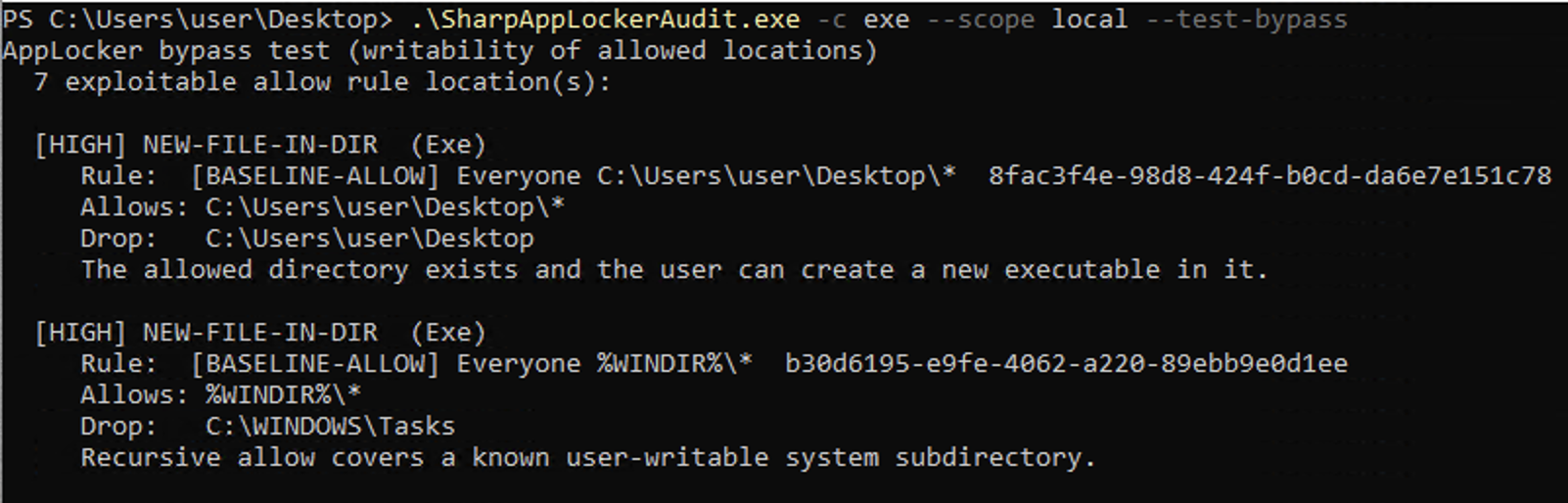
Below is an example of the tool identifying some bypasses on a test machine!
Defending Against Bypasses
So we have explored what AppLocker is, how to review the rules, and common bypasses that I’ve seen in real-world organisations. But what about defending against them?
The best way to defend against bypasses is to prevent them existing before they happen, such as by doing the following:
- Prefer hash based or publisher based rules over path based
- Avoid use of wildcards in rules
- Don’t use path based rules where the path will include user-writable directories
- Scope rules as tightly as possible such as using groups instead of “Everyone”
- Deploy Microsoft’s recommended block rules
- Include AppLocker rules in your regular Penetration Testing programmes
But, as with all good defence, we should be using defence-in-depth, therefore, we should also consider how to detect bypasses that have slipped through the net, both before they are exploited, and if someone is attempting to exploit them:
- Proactively audit rulesets, ensuring legacy rules are removed, and potential bypasses investigated
- Monitor the relevant Event IDs
- 8003/8004 for EXE and DLL, and 8006/8007 for MSI and Script
- Where a path rule is required, especially in user controlled directories, monitor changes to files in the path
- Trigger alerts if unexpected users start querying the AppLocker configuration (e.g. would someone in finance really be looking at it?)
- Alert on the AppIDSvc being stopped or disabled
- Monitor and alert on the policy being unexpectedly changed
It should also be noted that Microsoft does not consider AppLocker to be a full security feature, and it should not be relied upon as a sole defence. Where a more security focused tool is required, consider using the more modern “App Control for Business” instead.