
What is RDP?
Remote Desktop Protocol (RDP) is a protocol to remotely access the graphical interface of computers. Most commonly this is found in use on Windows systems, with the protocol developed by Microsoft, though other operating systems do have implementations. Common uses include systems administrators managing Windows estates, hosting applications, and virtual desktops such as Azure Virtual Desktop (AVD).
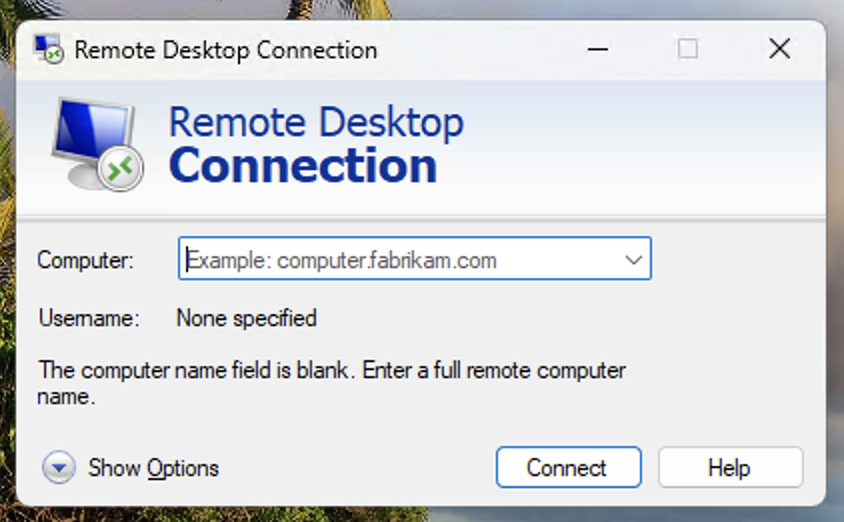
As part of RDP, users can forward various resources to the remote computer they are accessing, including their clipboard, webcam, microphone, and importantly for us, their mounted drives. The classic method to connect over RDP is via mstsc.exe, the built-in RDP client in Windows, either by directly entering the hostname or IP address into the UI, or using an .rdp file with the configuration laid out inside.
Introducing tsclient
When a user forwards their drives over an RDP connection, the drives are made available on a special UNC path called tsclient, accessed via \\tsclient\ with the subsequent path being in the format \\tsclient\X, where X is the drive letter of the local drive being forwarded. For example, if the C:\ drive is forwarded it would be accessed via \\tsclient\C. Importantly, the relevant forwarded drives can only be accessed within the logon session tied to the RDP connection, so one user having forwarded their drive, cannot have the drive accessed by another user in their own session.
To forward the drives, the user must set the drives as being forwarded during connection, or connect using an .rdp file with the drivestoredirect:s: value set. This can list specific drives, such as drivestoredirect:s:C:\;D:\;, or use a wildcard, drivestoredirect:s:* (It is worth noting at this point, that in 2026 Microsoft have made some changes that restrict this being pre-set by unsigned RDP files, more on that in the “Prevent and Detect” section later)
From an attacker’s perspective tsclient is quite interesting, it allows both read and write access to the drives on the client machine, from the server they connected to. If we can inject code into the relevant session, we can then interact with the drives via their UNC paths, reading files from their file system, and writing files back, with all operations using the privileges of the user who initiated the RDP connection. We might use this to access sensitive files, such as SSH keys or documents, or to write files back, such as to the user’s startup folder (Which would then execute when they next login to their machine, achieving execution on the system they used to connect to the RDP server.
Setting Up The Attack
To actually exploit this, we have three things to achieve:
- Get the user to connect with forwarded drives, typically with a pre-configured
.rdpfile- This is largely a social engineering problem, and won’t be covered in detail in this post
- A scheduled task with a trigger to execute on RDP logon, configured to run as the user connecting
- The payload the task will execute that interacts with the tsclient forwarded drives
Some Tooling
Accompanying this blog post, I have also released a series of small helpers for use when executing this attack, including:
- A PowerShell script to setup scheduled tasks
- An example payload for the scheduled task
- Dump details of forwarded drives and profiles
- Identifies the user who connected, and lists files on their desktop, documents and downloads directories
- Copies files from the server back to the user’s AppData directory, and drops a shortcut to the user’s Startup folder to launch it (currently configured for
calc.exe)
- A Python script to create the
.rdpfiles
The tooling can be accessed at https://github.com/Jack-Barradell/weaponising-rdp
With a demo of the attack shown below:
Prevent and Detect
So we have looked at what RDP is, how we can forward drives and how attackers can use this as part of their operations. But, how can defenders prevent and/or detect this attack?
Microsoft Published Protections
The first defence is automatically available to you as long as you keep your Windows updated, and don’t explicitly turn it off. The pre-configured RDP file part of this technique has been tracked by Microsoft as CVE-2026-26151, with a mitigation pushed in April 2026. Once this patch is installed, an updated UI is displayed when a user interacts with an unsigned (or signed by an untrusted authority) .rdp file, this UI requires the user to explicitly tick checkboxes related to components they wish to allow to be forwarded during the RDP connection, with all checkboxes, including the “drives” box, being unticked by default, no matter the content of the .rdp file. This warning does not appear for .rdp files that have been signed by an authority configured as a “Trusted .rdp Publisher”.
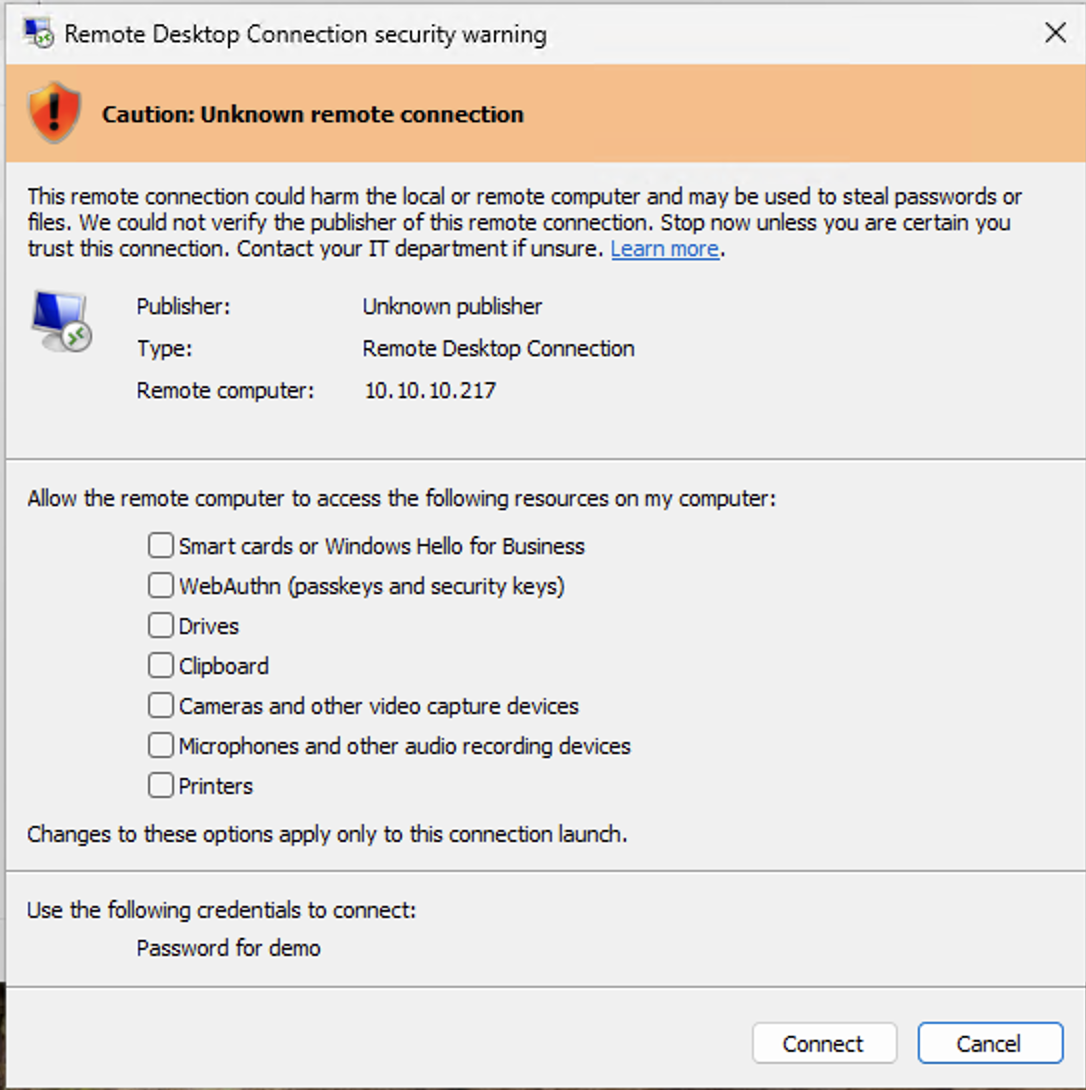
It should be noted that attackers may be able to bypass this mitigation in a number of ways, including:
- Socially engineering users to tick the checkbox
- Signing the
.rdpfile with a certificate included in the trusted policy- Leaked trusted certificates
- Attacker certificates acquired with other attacks, such as classic ADCS exploitation
- Identifying systems that may have the protection disabled
Microsoft publish some details regarding these controls here
Preventions
Other options for preventing this attack include:
- Signing your own
.rdpfiles, and blocking execution of all.rdpfiles not signed by your trusted publisher- Make sure you protect the certificates!
- Blocking RDP connections to all ranges other than those you explicitly expect, such as internal networks, or expected cloud ranges (but don’t just allow all of AWS/Azure/GCP etc)
- Block outbound RDP by default from devices, and only enable it for users that are expected to use RDP as part of their role
Detections
Options for detecting this technique include:
- EDR/AV rules for RDP files with
drivestoredirect:s:set - Detections for
.rdpfiles being downloaded from email or websites - RDP connections on non-standard parts
- Rules to detect file creations in sensitive directories while an active RDP connection is established, these writes would occur from the
mstsc.exeprocess- E.g. A new file created in a user’s startup directory while they are connected to RDP
- Detections on your own servers to detect if they have been weaponised
- E.g. Detecting a server starting to interact with
\\tsclient\
- E.g. Detecting a server starting to interact with
- Rules that may detect reads coming from
\\tsclient\connections, these would be conducted frommstsc.exe, which may aid in the creation of such rules.- E.g.
mstsc.exereading files in a user’s.sshdirectory
- E.g.
- Detections for the
RedirectionWarningDialogVersionbeing modified